4.k8s部署CNI网络插件Flannel及自动补全
4.1部署Flannel组件
		2.1 所有节点导入镜像
wget http://192.168.21.253/Resources/Kubernetes/K8S%20Cluster/CNI/flannel/images/v0.27.0/oldboyedu-flannel-v0.27.0.tar.gz

docker load -i oldboyedu-flannel-v0.27.0.tar.gz

		2.2 修改Pod网段
[root@master231 ~]# wget http://192.168.21.253/Resources/Kubernetes/K8S%20Cluster/CNI/flannel/kube-flannel-v0.27.0.yml

[root@master231 ~]# grep 16 kube-flannel-v0.27.0.yml
      "Network": "10.244.0.0/16",
[root@master231 ~]# sed -i '/16/s#244#100#' kube-flannel-v0.27.0.yml
[root@master231 ~]# grep 16 kube-flannel-v0.27.0.yml
      "Network": "10.100.0.0/16",

		2.3 部署服务组件
[root@master231 ~]# kubectl apply -f kube-flannel-v0.27.0.yml
namespace/kube-flannel created
serviceaccount/flannel created
clusterrole.rbac.authorization.k8s.io/flannel created
clusterrolebinding.rbac.authorization.k8s.io/flannel created
configmap/kube-flannel-cfg created
daemonset.apps/kube-flannel-ds created
[root@master231 ~]# kubectl get pods -A -o wide
NAMESPACE      NAME                                READY   STATUS    RESTARTS   AGE   IP           NODE        NOMINATED NODE   READINESS GATES
kube-flannel   kube-flannel-ds-5hbns               1/1     Running   0          14s   10.0.0.231   master231   <none>           <none>
kube-flannel   kube-flannel-ds-dzffl               1/1     Running   0          14s   10.0.0.233   worker233   <none>           <none>
kube-flannel   kube-flannel-ds-h5kwh               1/1     Running   0          14s   10.0.0.232   worker232   <none>           <none>
kube-system    coredns-6d8c4cb4d-k52qr             1/1     Running   0          50m   10.100.0.3   master231   <none>           <none>
kube-system    coredns-6d8c4cb4d-rvzd9             1/1     Running   0          50m   10.100.0.2   master231   <none>           <none>
kube-system    etcd-master231                      1/1     Running   0          50m   10.0.0.231   master231   <none>           <none>
kube-system    kube-apiserver-master231            1/1     Running   0          50m   10.0.0.231   master231   <none>           <none>
kube-system    kube-controller-manager-master231   1/1     Running   0          50m   10.0.0.231   master231   <none>           <none>
kube-system    kube-proxy-588bm                    1/1     Running   0          43m   10.0.0.232   worker232   <none>           <none>
kube-system    kube-proxy-9bb67                    1/1     Running   0          50m   10.0.0.231   master231   <none>           <none>
kube-system    kube-proxy-n9mv6                    1/1     Running   0          42m   10.0.0.233   worker233   <none>           <none>
kube-system    kube-scheduler-master231            1/1     Running   0          50m   10.0.0.231   master231   <none>           <none>

		2.4 检查节点是否就绪
[root@master231 ~]# kubectl get nodes
NAME        STATUS   ROLES                  AGE   VERSION
master231   Ready    control-plane,master   27m   v1.23.17
worker232   Ready    <none>                 23m   v1.23.17
worker233   Ready    <none>                 23m   v1.23.17
[root@master231 ~]# kubectl get nodes -o wide
NAME        STATUS   ROLES                  AGE   VERSION    INTERNAL-IP   EXTERNAL-IP   OS-IMAGE             KERNEL-VERSION       CONTAINER-RUNTIME
master231   Ready    control-plane,master   53m   v1.23.17   10.0.0.231    <none>        Ubuntu 22.04.4 LTS   5.15.0-119-generic   docker://20.10.24
worker232   Ready    <none>                 46m   v1.23.17   10.0.0.232    <none>        Ubuntu 22.04.4 LTS   5.15.0-119-generic   docker://20.10.24
worker233   Ready    <none>                 46m   v1.23.17   10.0.0.233    <none>        Ubuntu 22.04.4 LTS   5.15.0-119-generic   docker://20.10.24
4.2验证CNI网络插件是否正常
	1.下载资源清单
[root@master231 ~]# wget http://192.168.21.253/Resources/Kubernetes/K8S%20Cluster/CNI/flannel/oldboyedu-network-cni-test.yaml

	2.应用资源清单
[root@master231 ~]# cat oldboyedu-network-cni-test.yaml
apiVersion: v1
kind: Pod
metadata:
  name: xiuxian-v1
spec:
  nodeName: worker232
  containers:
  - image: registry.cn-hangzhou.aliyuncs.com/yinzhengjie-k8s/apps:v1
    name: xiuxian

---

apiVersion: v1
kind: Pod
metadata:
  name: xiuxian-v2
spec:
  nodeName: worker233
  containers:
  - image: registry.cn-hangzhou.aliyuncs.com/yinzhengjie-k8s/apps:v2
    name: xiuxian
[root@master231 ~]#
[root@master231 ~]# kubectl apply -f  oldboyedu-network-cni-test.yaml
pod/xiuxian-v1 created
pod/xiuxian-v2 created

	3.访问测试
[root@master231 ~]# kubectl get pods -o wide
NAME         READY   STATUS    RESTARTS   AGE   IP           NODE        NOMINATED NODE   READINESS GATES
xiuxian-v1   1/1     Running   0          14s   10.100.1.2   worker232   <none>           <none>
xiuxian-v2   1/1     Running   0          14s   10.100.2.2   worker233   <none>           <none>
[root@master231 ~]# curl 10.100.1.2
<!DOCTYPE html>
<html>
  <head>
    <meta charset="utf-8"/>
    <title>yinzhengjie apps v1</title>
    <style>
       div img {
          width: 900px;
          height: 600px;
          margin: 0;
       }
    </style>
  </head>

  <body>
    <h1 style="color: green">凡人修仙传 v1 </h1>
    <div>
      <img src="1.jpg">
    <div>
  </body>

</html>

[root@master231 ~]# curl 10.100.2.2
<!DOCTYPE html>
<html>
  <head>
    <meta charset="utf-8"/>
    <title>yinzhengjie apps v2</title>
    <style>
       div img {
          width: 900px;
          height: 600px;
          margin: 0;
       }
    </style>
  </head>

  <body>
    <h1 style="color: red">凡人修仙传 v2 </h1>
    <div>
      <img src="2.jpg">
    <div>
  </body>

</html>

	4.删除pod并查看
[root@master231 ~]# kubectl delete -f oldboyedu-network-cni-test.yaml
pod "xiuxian-v1" deleted
pod "xiuxian-v2" deleted
[root@master231 ~]# kubectl get pods -o wide
No resources found in default namespace.
4.3kubectl工具实现自动补全功能
	1.添加环境变量
[root@master231 ~]# kubectl completion bash > ~/.kube/completion.bash.inc
[root@master231 ~]# echo source '$HOME/.kube/completion.bash.inc' >> ~/.bashrc
[root@master231 ~]# source ~/.bashrc

	2.验证自动补全功能
[root@master231 ~]# kubectl   #连续按2次tab键测试能否出现命令
alpha          auth           cordon         diff           get            patch          run            version
annotate       autoscale      cp             drain          help           plugin         scale          wait
api-resources  certificate    create         edit           kustomize      port-forward   set
api-versions   cluster-info   debug          exec           label          proxy          taint
apply          completion     delete         explain        logs           replace        top
attach         config         describe       expose         options        rollout        uncordon

	3.关机拍快照
5.Pod基础使用
5.1pod的容器类型
1)什么是pod?
含义:所谓的Pod是K8S集群调度的最小单元,所谓的最小单元就是不可拆分。
Pod是一组容器的集合,Pod和容器的关系类似于豌豆荚和豌豆的关系。
2)Pod包含三种容器类型
Pod其包含三种容器类型:
	- 基础架构容器(registry.aliyuncs.com/google_containers/pause:3.6)
		为Pod提供基础linux名称空间(ipc,net,time,user)共享。
		基础架构容器无需运维人员部署,而是由kubelet组件自行维护。

	- 初始化容器
		可选的容器类型,一般情况下,为业务容器做初始化工作。可以定义多个初始化容器。
		当所有的初始化容器执行完成后,才会去执行业务容器。

	- 业务容器
		用户的实际业务,可以定义多个业务容器。

启动顺序依次是:基础架构容器,初始化容器,业务容器,对于用户而言,只需要额外关注后两者的容器类型即可。
5.2k8s一切皆资源
我们知道Linux系统"一切皆文件",而k8s集群可以看做一个操作系统,"一切皆资源"。

值得注意的是,k8s对于集群的资源支持“声明式”和“响应式”两种管理方式。

实操案例:
	1.查看master组件
[root@master231 ~]# kubectl get cs
Warning: v1 ComponentStatus is deprecated in v1.19+
NAME                 STATUS    MESSAGE                         ERROR
controller-manager   Healthy   ok
scheduler            Healthy   ok
etcd-0               Healthy   {"health":"true","reason":""}
[root@master231 ~]# kubectl get componentstatuses
Warning: v1 ComponentStatus is deprecated in v1.19+
NAME                 STATUS    MESSAGE                         ERROR
controller-manager   Healthy   ok
scheduler            Healthy   ok
etcd-0               Healthy   {"health":"true","reason":""}

	2 查看worker组件
[root@master231 ~]# kubectl get no
NAME        STATUS   ROLES                  AGE     VERSION
master231   Ready    control-plane,master   4h14m   v1.23.17
worker232   Ready    <none>                 4h7m    v1.23.17
worker233   Ready    <none>                 4h7m    v1.23.17
[root@master231 ~]#
[root@master231 ~]# kubectl get nodes
NAME        STATUS   ROLES                  AGE     VERSION
master231   Ready    control-plane,master   4h14m   v1.23.17
worker232   Ready    <none>                 4h7m    v1.23.17
worker233   Ready    <none>                 4h7m    v1.23.17
[root@master231 ~]# kubectl get nodes -o wide
NAME        STATUS   ROLES                  AGE     VERSION    INTERNAL-IP   EXTERNAL-IP   OS-IMAGE             KERNEL-VERSION       CONTAINER-RUNTIME
master231   Ready    control-plane,master   4h14m   v1.23.17   10.0.0.231    <none>        Ubuntu 22.04.4 LTS   5.15.0-119-generic   docker://20.10.24
worker232   Ready    <none>                 4h7m    v1.23.17   10.0.0.232    <none>        Ubuntu 22.04.4 LTS   5.15.0-119-generic   docker://20.10.24
worker233   Ready    <none>                 4h7m    v1.23.17   10.0.0.233    <none>        Ubuntu 22.04.4 LTS   5.15.0-119-generic   docker://20.10.24

	3 查看K8S集群内置的资源
[root@master231 ~]# kubectl api-resources  | wc -l
57
[root@master231 ~]# kubectl api-resources
NAME                              SHORTNAMES   APIVERSION                             NAMESPACED   KIND
bindings                                       v1                                     true         Binding
componentstatuses                 cs           v1                                     false        ComponentStatus
configmaps                        cm           v1                                     true         ConfigMap
endpoints                         ep           v1                                     true         Endpoints
events                            ev           v1                                     true         Event
limitranges                       limits       v1                                     true         LimitRange
namespaces                        ns           v1                                     false        Namespace
nodes                             no           v1                                     false        Node
persistentvolumeclaims            pvc          v1                                     true         PersistentVolumeClaim
persistentvolumes                 pv           v1                                     false        PersistentVolume
pods                              po           v1                                     true         Pod
podtemplates                                   v1                                     true         PodTemplate
replicationcontrollers            rc           v1                                     true         ReplicationController
resourcequotas                    quota        v1                                     true         ResourceQuota
secrets                                        v1                                     true         Secret
serviceaccounts                   sa           v1                                     true         ServiceAccount
services                          svc          v1                                     true         Service
mutatingwebhookconfigurations                  admissionregistration.k8s.io/v1        false        MutatingWebhookConfiguration
validatingwebhookconfigurations                admissionregistration.k8s.io/v1        false        ValidatingWebhookConfiguration
customresourcedefinitions         crd,crds     apiextensions.k8s.io/v1                false        CustomResourceDefinition
apiservices                                    apiregistration.k8s.io/v1              false        APIService
controllerrevisions                            apps/v1                                true         ControllerRevision
daemonsets                        ds           apps/v1                                true         DaemonSet
deployments                       deploy       apps/v1                                true         Deployment
replicasets                       rs           apps/v1                                true         ReplicaSet
statefulsets                      sts          apps/v1                                true         StatefulSet
tokenreviews                                   authentication.k8s.io/v1               false        TokenReview
localsubjectaccessreviews                      authorization.k8s.io/v1                true         LocalSubjectAccessReview
selfsubjectaccessreviews                       authorization.k8s.io/v1                false        SelfSubjectAccessReview
selfsubjectrulesreviews                        authorization.k8s.io/v1                false        SelfSubjectRulesReview
subjectaccessreviews                           authorization.k8s.io/v1                false        SubjectAccessReview
horizontalpodautoscalers          hpa          autoscaling/v2                         true         HorizontalPodAutoscaler
cronjobs                          cj           batch/v1                               true         CronJob
jobs                                           batch/v1                               true         Job
certificatesigningrequests        csr          certificates.k8s.io/v1                 false        CertificateSigningRequest
leases                                         coordination.k8s.io/v1                 true         Lease
endpointslices                                 discovery.k8s.io/v1                    true         EndpointSlice
events                            ev           events.k8s.io/v1                       true         Event
flowschemas                                    flowcontrol.apiserver.k8s.io/v1beta2   false        FlowSchema
prioritylevelconfigurations                    flowcontrol.apiserver.k8s.io/v1beta2   false        PriorityLevelConfiguration
ingressclasses                                 networking.k8s.io/v1                   false        IngressClass
ingresses                         ing          networking.k8s.io/v1                   true         Ingress
networkpolicies                   netpol       networking.k8s.io/v1                   true         NetworkPolicy
runtimeclasses                                 node.k8s.io/v1                         false        RuntimeClass
poddisruptionbudgets              pdb          policy/v1                              true         PodDisruptionBudget
podsecuritypolicies               psp          policy/v1beta1                         false        PodSecurityPolicy
clusterrolebindings                            rbac.authorization.k8s.io/v1           false        ClusterRoleBinding
clusterroles                                   rbac.authorization.k8s.io/v1           false        ClusterRole
rolebindings                                   rbac.authorization.k8s.io/v1           true         RoleBinding
roles                                          rbac.authorization.k8s.io/v1           true         Role
priorityclasses                   pc           scheduling.k8s.io/v1                   false        PriorityClass
csidrivers                                     storage.k8s.io/v1                      false        CSIDriver
csinodes                                       storage.k8s.io/v1                      false        CSINode
csistoragecapacities                           storage.k8s.io/v1beta1                 true         CSIStorageCapacity
storageclasses                    sc           storage.k8s.io/v1                      false        StorageClass
volumeattachments                              storage.k8s.io/v1                      false        VolumeAttachment
5.3响应式管理Pod基础
1)创建pod
	1.创建时指定pod名称和镜像
[root@master231 ~]# kubectl run c1 --image=registry.cn-hangzhou.aliyuncs.com/yinzhengjie-k8s/apps:v1
pod/c1 created

	2.创建时修改pod的启动命令(-- sleep 300 改为这个,访问不了,本质就是ngx)
[root@master231 ~]# kubectl run c2 --image=registry.cn-hangzhou.aliyuncs.com/yinzhengjie-k8s/apps:v1 -- sleep 300
pod/c2 created
2)查看pod
	1.查看pod信息
[root@master231 ~]# kubectl get pods
NAME   READY   STATUS    RESTARTS   AGE
c1     1/1     Running   0          79s
c2     1/1     Running   0          51s

[root@master231 ~]# kubectl get pods -o wide
NAME   READY   STATUS    RESTARTS   AGE   IP           NODE        NOMINATED NODE   READINESS GATES
c1     1/1     Running   0          80s   10.100.2.5   worker233   <none>           <none>
c2     1/1     Running   0          52s   10.100.1.5   worker232   <none>           <none>

	2.访问测试
[root@master231 ~]# curl 10.100.2.5
<!DOCTYPE html>
<html>
  <head>
    <meta charset="utf-8"/>
    <title>yinzhengjie apps v1</title>
    <style>
       div img {
          width: 900px;
          height: 600px;
          margin: 0;
       }
    </style>
  </head>

  <body>
    <h1 style="color: green">凡人修仙传 v1 </h1>
    <div>
      <img src="1.jpg">
    <div>
  </body>

</html>

[root@master231 ~]# curl 10.100.1.5
curl: (7) Failed to connect to 10.100.1.5 port 80 after 0 ms: Connection refused
3)在运行的pod中执行命令
	1.查看容器
[root@master231 ~]# kubectl get pods -o wide
NAME   READY   STATUS    RESTARTS   AGE     IP           NODE        NOMINATED NODE   READINESS GATES
c1     1/1     Running   0          4m8s    10.100.2.5   worker233   <none>           <none>
c2     1/1     Running   0          3m40s   10.100.1.5   worker232   <none>           <none>

	2.交互式执行命令
[root@master231 ~]# kubectl exec -it c2 -- sh
/ # ps -ef
PID   USER     TIME  COMMAND
    1 root      0:00 sleep 300
   19 root      0:00 sh
   25 root      0:00 ps -ef
/ #
[root@master231 ~]#
[root@master231 ~]# kubectl exec -it c1 -- sh
/ # ps -ef
PID   USER     TIME  COMMAND
    1 root      0:00 nginx: master process nginx -g daemon off;
   32 nginx     0:00 nginx: worker process
   33 nginx     0:00 nginx: worker process
   46 root      0:00 sh
   52 root      0:00 ps -ef
/ #

	3.非交互执行命令
[root@master231 ~]# kubectl exec c1 -- ps -ef
PID   USER     TIME  COMMAND
    1 root      0:00 nginx: master process nginx -g daemon off;
   32 nginx     0:00 nginx: worker process
   33 nginx     0:00 nginx: worker process
   34 root      0:00 ps -ef
[root@master231 ~]#
[root@master231 ~]# kubectl exec c2 -- ps -ef
PID   USER     TIME  COMMAND
    1 root      0:00 sleep 300
    7 root      0:00 ps -ef

[root@master231 ~]# kubectl exec c1 -- ifconfig
eth0      Link encap:Ethernet  HWaddr 2E:17:24:F4:30:0E
          inet addr:10.100.2.5  Bcast:10.100.2.255  Mask:255.255.255.0
          UP BROADCAST RUNNING MULTICAST  MTU:1450  Metric:1
          RX packets:22 errors:0 dropped:0 overruns:0 frame:0
          TX packets:8 errors:0 dropped:0 overruns:0 carrier:0
          collisions:0 txqueuelen:0
          RX bytes:2528 (2.4 KiB)  TX bytes:1059 (1.0 KiB)

lo        Link encap:Local Loopback
          inet addr:127.0.0.1  Mask:255.0.0.0
          UP LOOPBACK RUNNING  MTU:65536  Metric:1
          RX packets:0 errors:0 dropped:0 overruns:0 frame:0
          TX packets:0 errors:0 dropped:0 overruns:0 carrier:0
          collisions:0 txqueuelen:1000
          RX bytes:0 (0.0 B)  TX bytes:0 (0.0 B)

[root@master231 ~]# kubectl exec  c2 -- ifconfig
eth0      Link encap:Ethernet  HWaddr FE:18:91:F0:5B:E3
          inet addr:10.100.1.5  Bcast:10.100.1.255  Mask:255.255.255.0
          UP BROADCAST RUNNING MULTICAST  MTU:1450  Metric:1
          RX packets:16 errors:0 dropped:0 overruns:0 frame:0
          TX packets:4 errors:0 dropped:0 overruns:0 carrier:0
          collisions:0 txqueuelen:0
          RX bytes:2058 (2.0 KiB)  TX bytes:180 (180.0 B)

lo        Link encap:Local Loopback
          inet addr:127.0.0.1  Mask:255.0.0.0
          UP LOOPBACK RUNNING  MTU:65536  Metric:1
          RX packets:0 errors:0 dropped:0 overruns:0 frame:0
          TX packets:0 errors:0 dropped:0 overruns:0 carrier:0
          collisions:0 txqueuelen:1000
          RX bytes:0 (0.0 B)  TX bytes:0 (0.0 B)

	4.再次查看容器【为什么会重启呢?】  -Pod重启策略默认为always
[root@master231 ~]# kubectl get pods -o wide
NAME   READY   STATUS    RESTARTS      AGE     IP           NODE        NOMINATED NODE   READINESS GATES
c1     1/1     Running   0             7m1s    10.100.2.5   worker233   <none>           <none>
c2     1/1     Running   1 (92s ago)   6m33s   10.100.1.5   worker232   <none>           <none>
4)删除pod
	1.删除指定名称的pod 并检查
[root@master231 ~]# kubectl get pods -o wide
NAME   READY   STATUS    RESTARTS       AGE     IP            NODE        NOMINATED NODE   READINESS GATES
c1     1/1     Running   0              9m36s   10.100.2.5   worker233   <none>           <none>
c2     1/1     Running   1 (4m7s ago)   9m8s    10.100.1.5   worker232   <none>           <none>
[root@master231 ~]# kubectl delete pods c1
pod "c1" deleted

[root@master231 ~]# kubectl get pods -o wide
NAME   READY   STATUS    RESTARTS        AGE     IP           NODE        NOMINATED NODE   READINESS GATES
c2     1/1     Running   1 (4m19s ago)   9m20s   10.100.1.5   worker232   <none>           <none>

	2.删除所有pod
[root@master231 ~]# kubectl delete pods --all
pod "c2" deleted
[root@master231 ~]# kubectl get pods -o wide
No resources found in default namespace.
5.4响应式管理pod标签
1)标签的作用
标签的作用就是用来标识k8s集群的某个资源。
将来基于标签的方式对这些资源进行管理。生产环境可基于一组pod打上标签进行管理
2)基于标签管理pod实战
	1.创建测试pod
[root@master231 ~]# kubectl run c1 --image=registry.cn-hangzhou.aliyuncs.com/yinzhengjie-k8s/apps:v1
pod/c1 created
[root@master231 ~]# kubectl run c2 --image=registry.cn-hangzhou.aliyuncs.com/yinzhengjie-k8s/apps:v1
pod/c2 created
[root@master231 ~]# kubectl run c3 --image=registry.cn-hangzhou.aliyuncs.com/yinzhengjie-k8s/apps:v1
pod/c3 created
[root@master231 ~]# kubectl get pods -o wide
NAME   READY   STATUS    RESTARTS   AGE   IP           NODE        NOMINATED NODE   READINESS GATES
c1     1/1     Running   0          11s   10.100.2.8   worker233   <none>           <none>
c2     1/1     Running   0          8s    10.100.1.5   worker232   <none>           <none>
c3     1/1     Running   0          3s    10.100.2.9   worker233   <none>           <none>

	2.查看pod的标签
[root@master231 ~]# kubectl get pods --show-labels
NAME   READY   STATUS    RESTARTS   AGE   LABELS
c1     1/1     Running   0          33s   run=c1
c2     1/1     Running   0          30s   run=c2
c3     1/1     Running   0          25s   run=c3

	3.为所有pod打标签
[root@master231 ~]# kubectl label pod --all apps=xiuxian
pod/c1 labeled
pod/c2 labeled
pod/c3 labeled
[root@master231 ~]# kubectl get pods --show-labels
NAME   READY   STATUS    RESTARTS   AGE   LABELS
c1     1/1     Running   0          85s   apps=xiuxian,run=c1
c2     1/1     Running   0          82s   apps=xiuxian,run=c2
c3     1/1     Running   0          77s   apps=xiuxian,run=c3

	4.为指定pod打标签
[root@master231 ~]# kubectl label pod c1 version=v1
pod/c1 labeled
[root@master231 ~]# kubectl label pod c2 school=oldboyedu class=linux101
pod/c2 labeled
[root@master231 ~]# kubectl get pods --show-labels
NAME   READY   STATUS    RESTARTS   AGE     LABELS
c1     1/1     Running   0          2m32s   apps=xiuxian,run=c1,version=v1
c2     1/1     Running   0          2m29s   apps=xiuxian,class=linux101,run=c2,school=oldboyedu
c3     1/1     Running   0          2m24s   apps=xiuxian,run=c3

	5.基于标签过滤pod
[root@master231 ~]# kubectl get pods  -l school -o wide --show-labels  #查看含有school的key标签
NAME   READY   STATUS    RESTARTS   AGE     IP           NODE        NOMINATED NODE   READINESS GATES   LABELS
c2     1/1     Running   0          5m57s   10.100.1.5   worker232   <none>           <none>            apps=xiuxian,class=linux101,run=c2,school=oldboyedu

[root@master231 ~]# kubectl get pods  -l "run in (c1,c3)" -o wide --show-labels
NAME   READY   STATUS    RESTARTS   AGE     IP           NODE        NOMINATED NODE   READINESS GATES   LABELS
c1     1/1     Running   0          6m2s    10.100.2.8   worker233   <none>           <none>            apps=xiuxian,run=c1,version=v1
c3     1/1     Running   0          5m54s   10.100.2.9   worker233   <none>           <none>            apps=xiuxian,run=c3

	6.修改标签的值
[root@master231 ~]# kubectl get pods --show-labels
NAME   READY   STATUS    RESTARTS   AGE   LABELS
c1     1/1     Running   0          81s   apps=xiuxian,run=c1,version=v1
c2     1/1     Running   0          81s   apps=xiuxian,class=linux101,run=c2,school=oldboyedu
c3     1/1     Running   0          80s   apps=xiuxian,run=c3
[root@master231 ~]# kubectl label pod --all apps=xianni --overwrite
pod/c1 unlabeled
pod/c2 unlabeled
pod/c3 unlabeled
[root@master231 ~]# kubectl get pods --show-labels
NAME   READY   STATUS    RESTARTS   AGE   LABELS
c1     1/1     Running   0          92s   apps=xianni,run=c1,version=v1
c2     1/1     Running   0          92s   apps=xianni,class=linux101,run=c2,school=oldboyedu
c3     1/1     Running   0          91s   apps=xianni,run=c3

[root@master231 ~]# kubectl label pod c2  school=laonanhai --overwrite
pod/c2 labeled
[root@master231 ~]# kubectl get pods --show-labels
NAME   READY   STATUS    RESTARTS   AGE     LABELS
c1     1/1     Running   0          2m31s   apps=xianni,run=c1,version=v1
c2     1/1     Running   0          2m31s   apps=xianni,class=linux101,run=c2,school=laonanhai
c3     1/1     Running   0          2m30s   apps=xianni,run=c3

	7.基于标签删除pod
[root@master231 ~]# kubectl get pods  -o wide
NAME   READY   STATUS    RESTARTS   AGE     IP           NODE        NOMINATED NODE   READINESS GATES
c1     1/1     Running   0          6m40s   10.100.2.8   worker233   <none>           <none>
c2     1/1     Running   0          6m37s   10.100.1.5   worker232   <none>           <none>
c3     1/1     Running   0          6m32s   10.100.2.9   worker233   <none>           <none>
[root@master231 ~]# kubectl delete pods  -l "run in (c1,c3)"
pod "c1" deleted
pod "c3" deleted

[root@master231 ~]# kubectl get pods  -o wide
NAME   READY   STATUS    RESTARTS   AGE    IP           NODE        NOMINATED NODE   READINESS GATES
c2     1/1     Running   0          7m1s   10.100.1.5   worker232   <none>           <none>

[root@master231 ~]# kubectl delete pods  -l school
pod "c2" deleted
[root@master231 ~]# kubectl get pods  -o wide
No resources found in default namespace.
5.5声明式管理Pod
1)资源的描述五个维度
k8s一切皆资源,对于资源我们可以通过资源清单来描述一个资源的状态。

我们可以从以下五个维度来描述资源:
	- apiVersion:
		表示资源API的版本号。

	- kind:
		资源的类型。

	- metatada:
		资源的元数据信息,包含资源的名称,标签,名称空间,资源注解等信息。

	- spec:
		期望资源的运行状态,需要自行定义。

	- status:
		资源的实际运行状态,由K8S集群自行维护。
2)声明式管理Pod资源实战
	1.创建工作目录
[root@master231 ~]# mkdir -pv /oldboyedu/manifests/
mkdir: created directory '/oldboyedu/manifests/'

[root@master231 ~]# cd /oldboyedu/manifests/
[root@master231 manifests]# mkdir pods
[root@master231 manifests]# cd pods

	2.编写资源清单
[root@master231 pods]# cat 01-pods-xiuxian.yaml
# 指定资源的版本
apiVersion: v1
# 指定资源的类型
kind: Pod
# 指定资源的元数据
metadata:
  # 指定资源的名称
  name: xixi
  # 给Pod打标签
  labels:
    apps: xiuxian
    school: oldboyedu
    class: linux101
# 期望资源的运行状态
spec:
  # 定义运行的容器信息
  containers:
    # 容器的名称
  - name: c1
    # 指定容器的镜像
    image: registry.cn-hangzhou.aliyuncs.com/yinzhengjie-k8s/apps:v1

	3.创建资源
[root@master231 pods]# kubectl create -f  01-pods-xiuxian.yaml
pod/xixi created

[root@master231 pods]# kubectl get pods -o wide --show-labels
NAME   READY   STATUS    RESTARTS   AGE   IP            NODE        NOMINATED NODE   READINESS GATES   LABELS
xixi   1/1     Running   0          6s    10.100.2.12   worker233   <none>           <none>            apps=xiuxian,class=linux101,school=oldboyedu

[root@master231 pods]# kubectl create -f 01-pods-xiuxian.yaml  # 注意,在同一个名称空间下,同名称的资源无法重复创建。
Error from server (AlreadyExists): error when creating "01-pods-xiuxian.yaml": pods "xixi" already exists
[root@master231 pods]# curl 10.100.2.12
<!DOCTYPE html>
<html>
  <head>
    <meta charset="utf-8"/>
    <title>yinzhengjie apps v1</title>
    <style>
       div img {
          width: 900px;
          height: 600px;
          margin: 0;
       }
    </style>
  </head>

  <body>
    <h1 style="color: green">凡人修仙传 v1 </h1>
    <div>
      <img src="1.jpg">
    <div>
  </body>

</html>

	4.修改资源
[root@master231 pods]# cat  01-pods-xiuxian.yaml
# 指定资源的版本
apiVersion: v1
# 指定资源的类型
kind: Pod
# 指定资源的元数据
metadata:
  # 指定资源的名称
  name: xixi
  # 给Pod打标签
  labels:
    #apps: xiuxian
    #school: oldboyedu
    #class: linux101
    version: v2
# 期望资源的运行状态
spec:
  # 定义运行的容器信息
  containers:
    # 容器的名称
  - name: c1
    # 指定容器的镜像
    # image: registry.cn-hangzhou.aliyuncs.com/yinzhengjie-k8s/apps:v1
    image: registry.cn-hangzhou.aliyuncs.com/yinzhengjie-k8s/apps:v2

[root@master231 pods]# kubectl create -f  01-pods-xiuxian.yaml
Error from server (AlreadyExists): error when creating "01-pods-xiuxian.yaml": pods "xixi" already exists
[root@master231 pods]# kubectl apply -f  01-pods-xiuxian.yaml  #apply就像更新,具有幂等性
Warning: resource pods/xixi is missing the kubectl.kubernetes.io/last-applied-configuration annotation which is required by kubectl apply. kubectl apply should only be used on resources created declaratively by either kubectl create --save-config or kubectl apply. The missing annotation will be patched automatically.
pod/xixi configured

[root@master231 pods]# kubectl get pods -o wide
NAME   READY   STATUS    RESTARTS      AGE    IP            NODE        NOMINATED NODE   READINESS GATES
xixi   1/1     Running   1 (44s ago)   4m8s   10.100.2.12   worker233   <none>           <none>

[root@master231 pods]# curl 10.100.2.12
<!DOCTYPE html>
<html>
  <head>
    <meta charset="utf-8"/>
    <title>yinzhengjie apps v2</title>
    <style>
       div img {
          width: 900px;
          height: 600px;
          margin: 0;
       }
    </style>
  </head>

  <body>
    <h1 style="color: red">凡人修仙传 v2 </h1>
    <div>
      <img src="2.jpg">
    <div>
  </body>

</html>
[root@master231 pods]#

	5.查看资源
[root@master231 pods]#  kubectl get pods -o wide
NAME   READY   STATUS    RESTARTS      AGE     IP            NODE        NOMINATED NODE   READINESS GATES
xixi   1/1     Running   1 (92s ago)   4m56s   10.100.2.12   worker233   <none>           <none>

[root@master231 pods]# kubectl get -f 01-pods-xiuxian.yaml
NAME   READY   STATUS    RESTARTS      AGE
xixi   1/1     Running   1 (95s ago)   4m59s

[root@master231 pods]# kubectl get -f 01-pods-xiuxian.yaml -o wide
NAME   READY   STATUS    RESTARTS      AGE    IP            NODE        NOMINATED NODE   READINESS GATES
xixi   1/1     Running   1 (98s ago)   5m2s   10.100.2.12   worker233   <none>           <none>

	6.删除资源
[root@master231 pods]# kubectl delete -f 01-pods-xiuxian.yaml
pod "xixi" deleted

[root@master231 pods]# kubectl get pods -o wide
No resources found in default namespace.
声明式:改了yaml文件,命令行得apply一下才生效
响应式:立即生效
5.6k8s部署游戏业务
	1.导入镜像(在hub.docker.com仓库)
[root@worker233 ~]# wget http://192.168.21.253/Resources/Docker/images/oldboyedu-games-v0.6.tar.gz

[root@worker233 ~]# docker load -i oldboyedu-games-v0.6.tar.gz

[root@worker233 ~]# docker image ls jasonyin2020/oldboyedu-games
REPOSITORY                     TAG       IMAGE ID       CREATED         SIZE
jasonyin2020/oldboyedu-games   v0.6      b55cbfca1946   22 months ago   376MB

	2.编写资源清单
[root@master231 pods]# cat 02-pods-nodeName-hostNetwork-games.yaml
apiVersion: v1
kind: Pod
metadata:
  name: wegame
  labels:
    apps: game
spec:
  # 将Pod调度到指定worker节点。(节点名称)
  nodeName: worker233
  # 使用worker节点宿主机网络名称空间
  hostNetwork: true
  containers:
  - name: c1
    image: jasonyin2020/oldboyedu-games:v0.6

	3.创建资源
[root@master231 pods]# kubectl apply -f  02-pods-nodeName-hostNetwork-games.yaml
pod/wegame created
[root@master231 pods]# kubectl get pods -o wide -l apps=game
NAME     READY   STATUS    RESTARTS   AGE   IP           NODE        NOMINATED NODE   READINESS GATES
wegame   1/1     Running   0          35s   10.0.0.233   worker233   <none>           <none>

	4.windows添加hosts解析记录
10.0.0.233 game01.oldboyedu.com
10.0.0.233 game02.oldboyedu.com
10.0.0.233 game03.oldboyedu.com
10.0.0.233 game04.oldboyedu.com
10.0.0.233 game05.oldboyedu.com
10.0.0.233 game06.oldboyedu.com
10.0.0.233 game07.oldboyedu.com
10.0.0.233 game08.oldboyedu.com
10.0.0.233 game09.oldboyedu.com
10.0.0.233 game10.oldboyedu.com
10.0.0.233 game11.oldboyedu.com
10.0.0.233 game12.oldboyedu.com
10.0.0.233 game13.oldboyedu.com
10.0.0.233 game14.oldboyedu.com
10.0.0.233 game15.oldboyedu.com
10.0.0.233 game16.oldboyedu.com
10.0.0.233 game17.oldboyedu.com
10.0.0.233 game18.oldboyedu.com
10.0.0.233 game19.oldboyedu.com
10.0.0.233 game20.oldboyedu.com
10.0.0.233 game21.oldboyedu.com
10.0.0.233 game22.oldboyedu.com
10.0.0.233 game23.oldboyedu.com
10.0.0.233 game24.oldboyedu.com
10.0.0.233 game25.oldboyedu.com
10.0.0.233 game26.oldboyedu.com
10.0.0.233 game27.oldboyedu.com

	5.访问测试
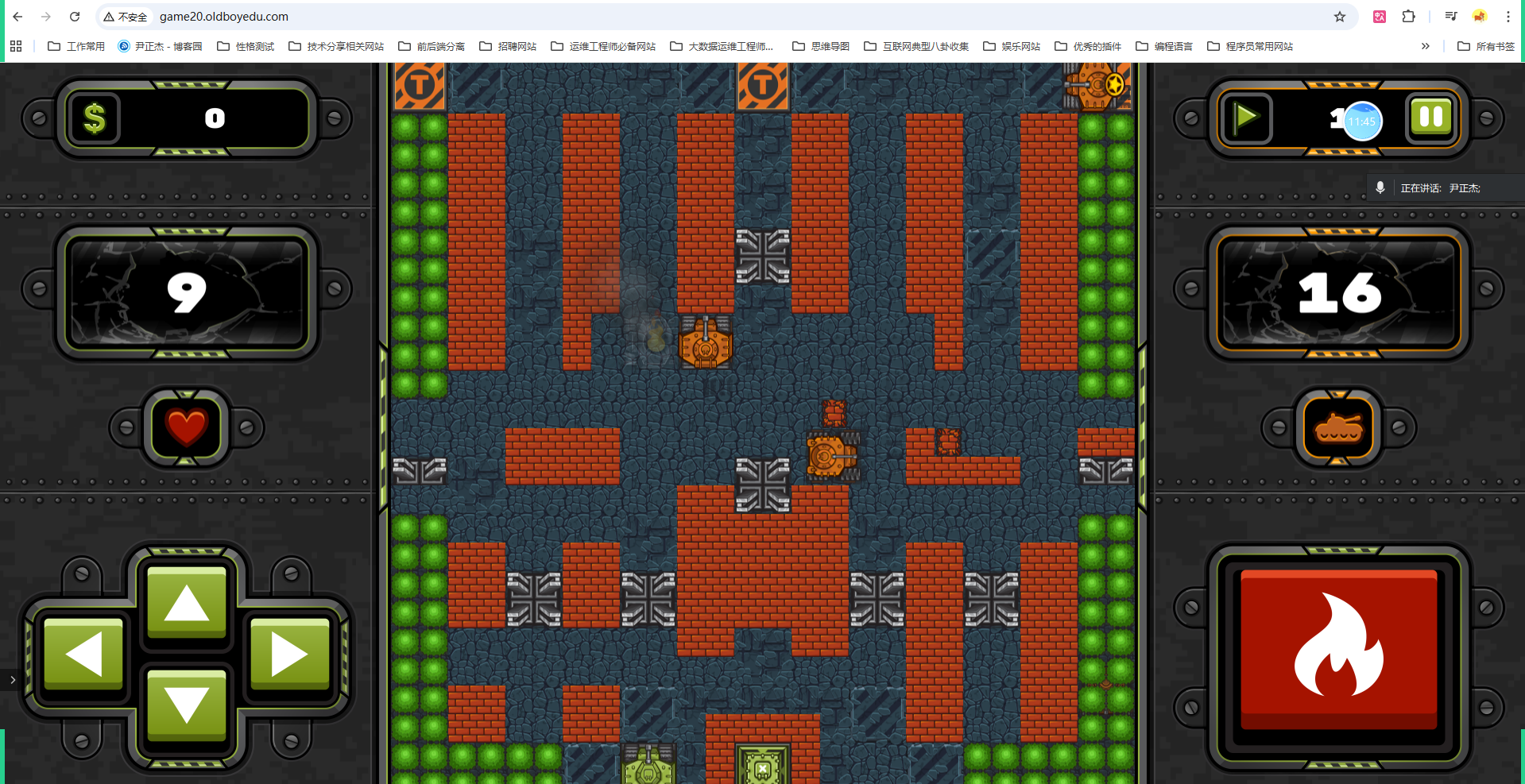
https://game01.oldboyedu.com/
...
https://game20.oldboyedu.com/
...
https://game27.oldboyedu.com/
总结
- K8S集群组件
	- master| control plane
		- etcd
		- scheduler
		- controller manage
		- api-server

	- slave| worker node
		- kubelet
		- kube-proxy

	- cni
		- flannel
		- calico
		- cannel
		- cilium

- 基于kubeadm部署k8s集群
	- Linux系统优化
	- 安装常见的服务
	- 初始化master
	- worker节点加入master
	- 部署Flannel插件

- pod的基础管理
	- 响应式
		- kubectl run
		- kubectl get
		- kubectl label
		- kubectl delete
	- 声明式
		- kubectl create  创建
- kubectl apply 创建|更新作者

2632782425@qq.com
相关文章